Ionworks

Ionworks Operate

Lab management software for test engineers and scheduling teams

Battery lab management software for the people who run cyclers and the people who fill them. See occupancy across Arbin, Maccor, Neware, and BioLogic channels, schedule the next test, and ask the wall in plain language.

Request a demo with a work email. We drop you into an org backed by a live synthetic lab, so the tests you schedule actually run in real time.

What battery lab management software does here

Ionworks Operate is the channel wall and test scheduler for Ionworks Studio. Test engineers see which channels are free, occupied, or stale. Scheduling teams book the next protocol onto a free channel, and simulation predicts how long each run takes so start windows reflect when channels actually free up. Agents read the same occupancy and queue. It sits on structured cycler data from Measure, so the rack and the measurements stay one system.

Occupancy

Get up-to-date info on all your tests

For test engineers who need a live picture of the rack: see what is running across Arbin, Maccor, Neware, and BioLogic channels without opening each cycler UI or chasing a spreadsheet.

01 Fleet02 Cycler03 Channel

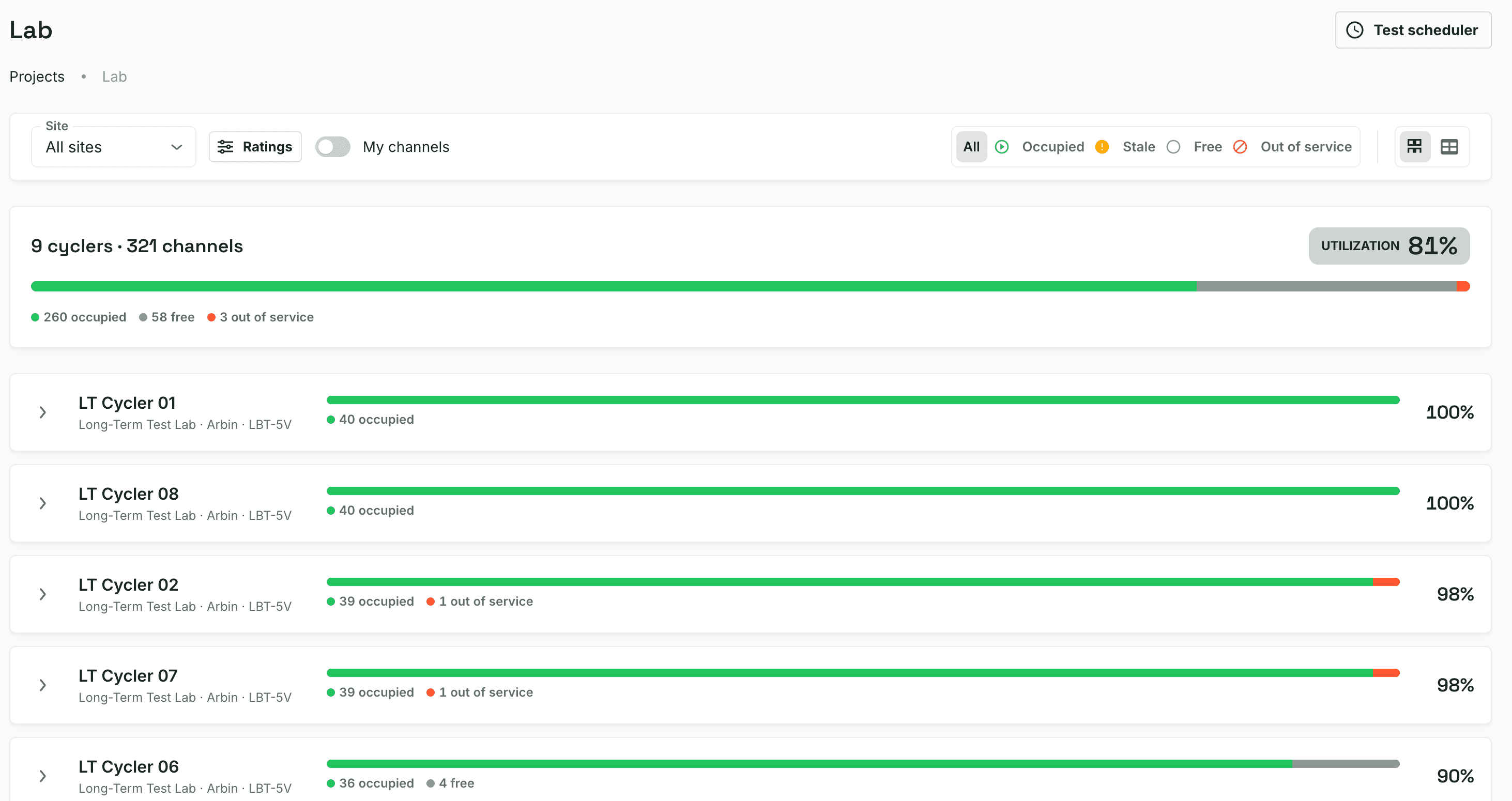
Ionworks Operate lab wall showing 9 cyclers and 321 channels at 81% utilization, with per-cycler occupancy bars across the Arbin fleet
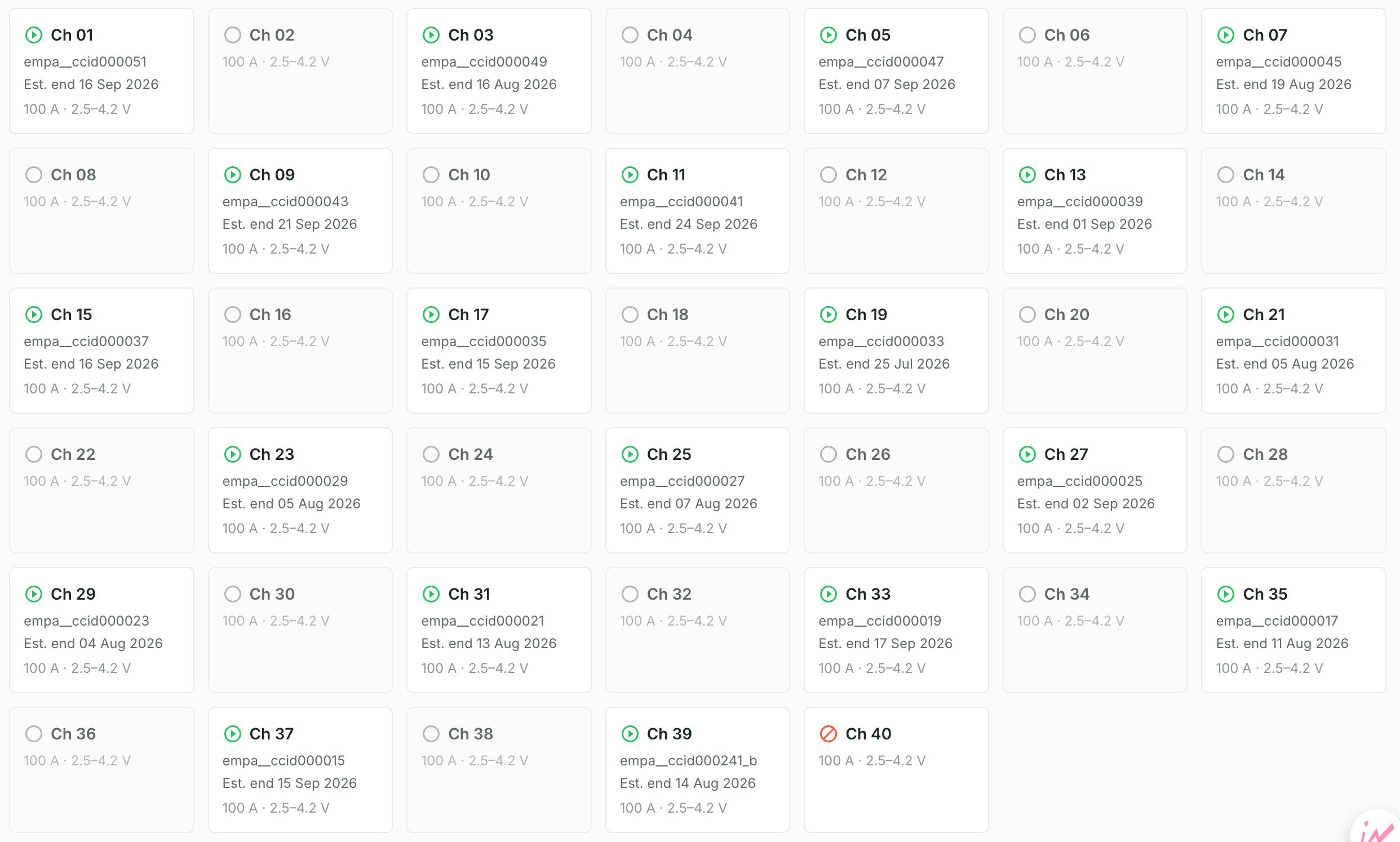
Ionworks Operate channel grid for a cycler showing 40 channels as occupied, free, or out of service, each with its cell id, estimated end date, and current and voltage ratings
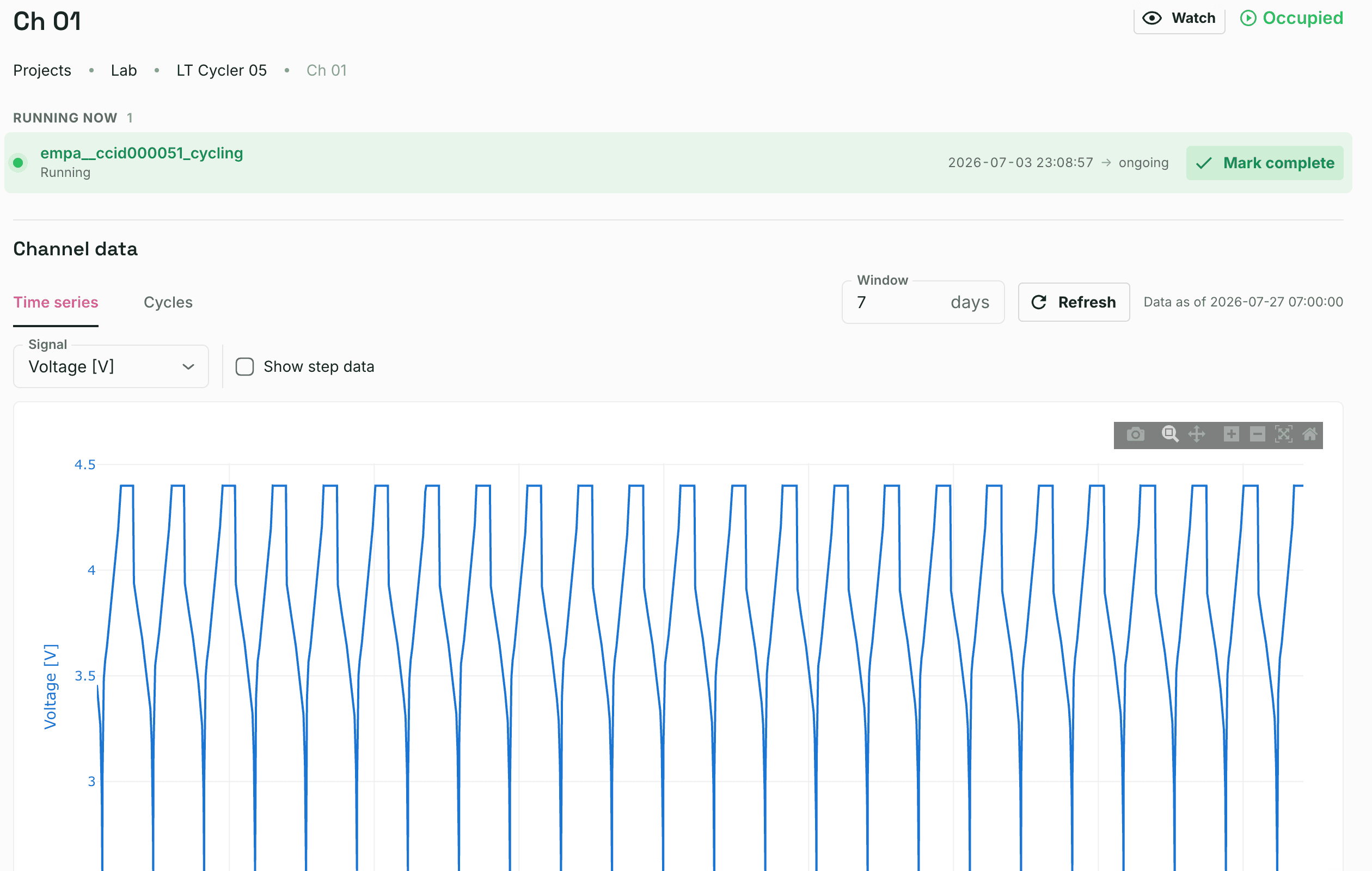
Ionworks Operate channel detail for Ch 01, a running cycling test with its live voltage time series
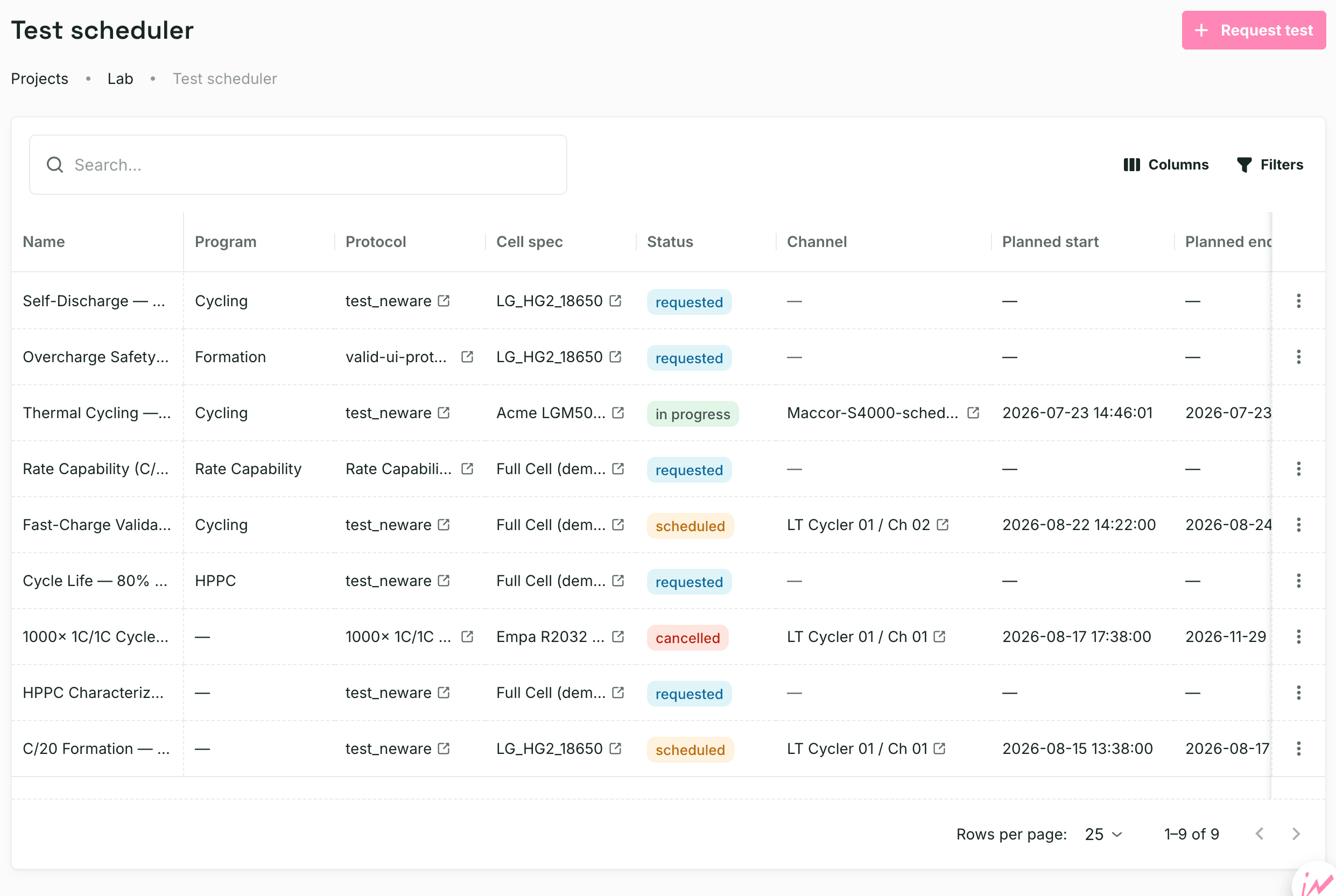
Ionworks Operate test scheduler queue showing requested, scheduled, in-progress, and cancelled tests with their protocols, channels, and planned start and end times
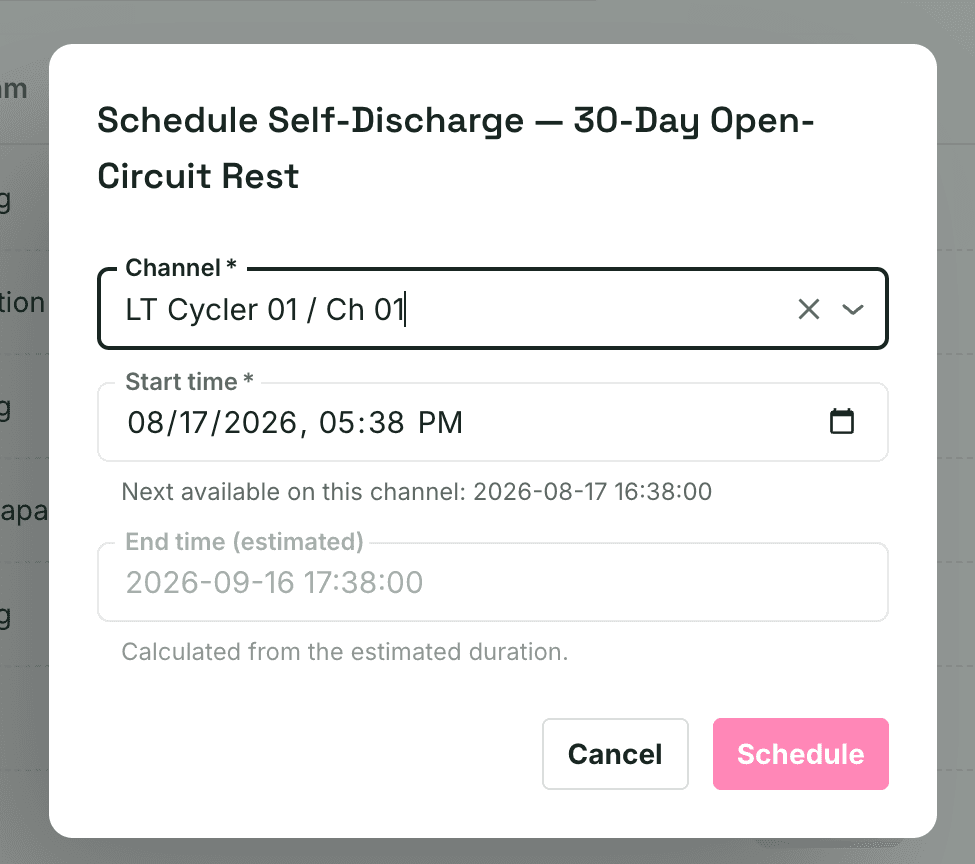
Ionworks Operate schedule dialog booking a test to LT Cycler 01 Ch 01, showing the next-available start and an estimated end time calculated from the simulated run duration

Test scheduler

Turn a test request into a booked channel

For scheduling teams filling the queue: attach a protocol and Ionworks Operate simulates it to predict how long the run will take. Start times account for the time remaining on tests already running, so the next-free window reflects when channels actually open up. No shared spreadsheet.

Drive with AI

Ask the lab in plain language

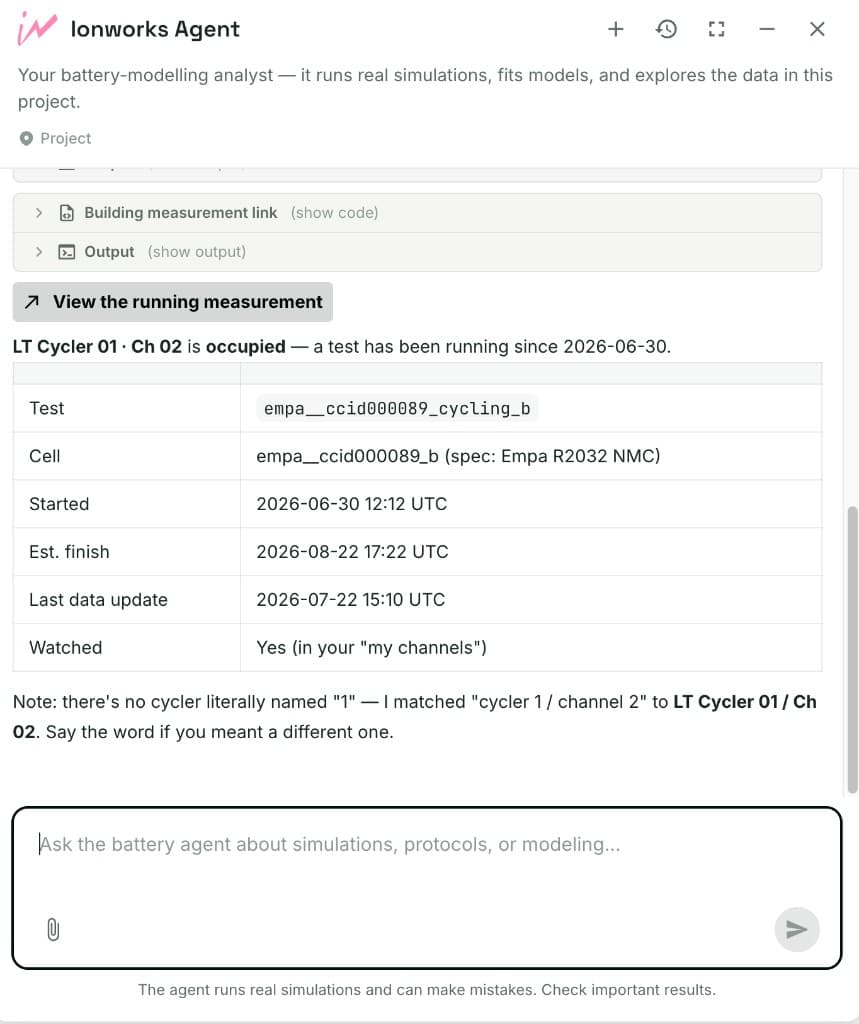
For both roles: ask in plain language. The agent reads the same occupancy and scheduler state as the wall. Request a test, check what is running, or find free capacity.
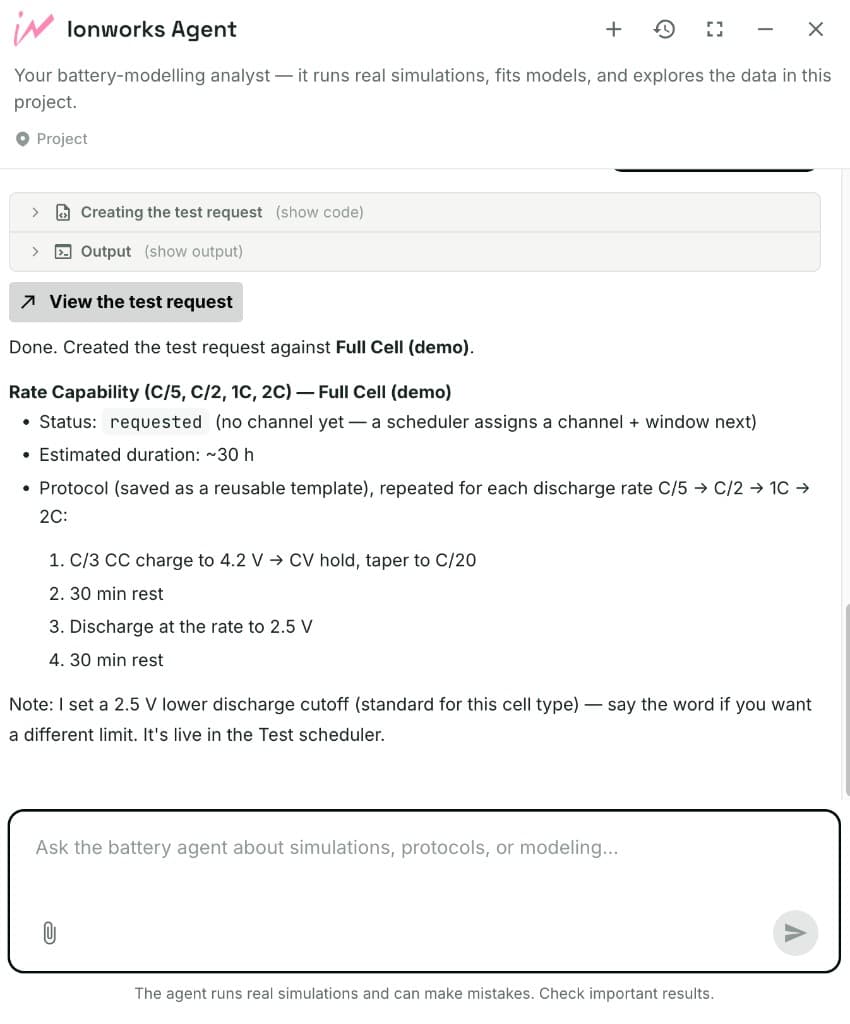
Ionworks Agent creating a rate capability test request and confirming it is live in the Test scheduler
Create a test request
Ionworks Agent reporting that LT Cycler 01 channel 02 is occupied, with test metadata and watch status
What is on this channel?

Frequently asked questions

Ionworks Operate is lab management software for battery test labs. It shows up-to-date status across your tests (free, occupied, stale channels), takes a test request and schedules it onto a free channel, and lets agents ask the same questions in plain language. It sits on the same structured measurements as Measure.
In the ops sense, it is software that coordinates people, channels, and test requests so the lab knows what is running and what runs next. That is different from battery lab data management, which organizes cycler files and metadata for analysis and modeling. Ionworks Operate is the ops layer; Measure is the data layer. For a side-by-side of ops tools, see the battery lab management software comparison.
Test engineers who need a live picture of the rack, and scheduling teams who fill the queue with test requests. Both roles share one wall instead of a spreadsheet and a side channel.
Ionworks Operate tracks channels and measurements in Ionworks Studio. Cycler data lands through the same ingestion path as Measure: Maccor, Neware, Arbin, BioLogic, and Novonix among others. The wall is brand-agnostic once channels are in the project.
It simulates the protocol against the cell model to predict run time, and tracks the time remaining on tests already running. The scheduler uses both to place the next test in a realistic start window instead of a manual estimate.
OEM software controls and monitors tests on that vendor's hardware (for example BioLogic's Global View for BioLogic channels). Ionworks Operate is the multi-brand status and scheduling layer on top of structured Ionworks data: one wall across Arbin, Maccor, Neware, and BioLogic fleets, plus an agent that reads the same state.
AVL and Keysight are built for facility logistics at scale: work orders, chambers, energy, and asset utilization. Their scheduling still rests on estimated test times. Ionworks Operate takes a different route that matters at any scale: it simulates each protocol to predict how long the test will actually run, so the schedule reflects real finish times, and an agent answers occupancy and scheduling questions in plain language on the same measurements you use for modeling. Enterprise labs get chamber logistics from those platforms and the simulation and agent layer from Ionworks Operate. When the bottleneck is scheduling accuracy across a multi-brand fleet, that layer is the differentiator, whether the lab has twenty channels or a thousand.
No. A full LIMS covers samples, methods, compliance, and report release (CNAS-style workflows). Ionworks Operate is channel occupancy and test scheduling for R&D cycler fleets. It does not replace a sample LIMS.
Ionworks Operate is part of Ionworks Studio. Request a demo with a work email and we drop you into an org backed by a live synthetic lab: schedule a test and watch it run in real time on the wall, so your team can drive the product before a full rollout.

Request a seeded Ionworks Operate demo

Work email only. We'll send access to an org backed by a live synthetic lab, so test engineers and scheduling teams can schedule tests and watch them run on the wall together.