This comparison is published by Ionworks. We have aimed to represent each tool fairly based on publicly available documentation, product pages, and published technical specifications as of March 2026.
Battery simulation software is not one category. It is at least three, and the right choice depends less on which solver is most powerful and more on how your team actually works. A thermal engineer evaluating pack-level heat rejection needs different software than an electrochemist fitting degradation parameters to cycling data.
This comparison covers the major battery simulation software categories and breaks down the leading tools: Ionworks, Ansys, COMSOL, Gamma Technologies, Siemens, and PyBaMM. The evaluation framework is built around how teams actually work: modeling approach, data workflows, and collaboration needs. Those are what determine whether a tool helps or gets in the way.
What battery simulation software includes
At a minimum, battery simulation software predicts cell behavior under defined operating conditions. That can mean voltage response during a discharge, thermal evolution during fast charging, or capacity fade over hundreds of cycles.
Depending on the tool, the scope may extend to electrochemical battery modeling at the electrode level, pack-level thermal analysis, battery degradation modeling, or battery protocol simulation against real-world duty cycles. Some tools also support battery parameter estimation (fitting model parameters to measured data from cell testing) and design optimization (exploring parameter spaces to find configurations that meet performance targets).
The breadth varies enormously, and the wrong choice costs months. General-purpose multiphysics platforms cover thermal, structural, and fluid domains alongside electrochemistry. Battery-specific tools focus on cell-level electrochemical and aging behavior. Open-source frameworks like PyBaMM offer research-grade flexibility in Python. Production platforms like Ionworks wrap open-source models in collaborative, GUI-accessible workflows for teams that need coordination beyond the solver itself.
What R&D teams should evaluate first
Modeling approach
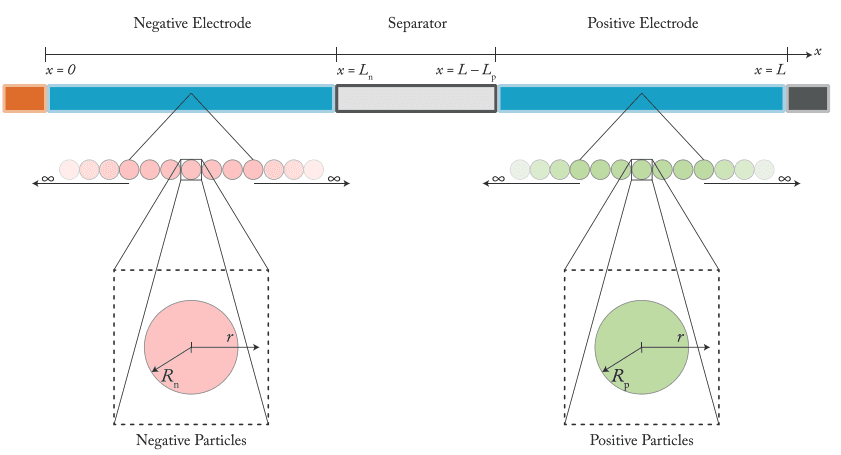
Battery models range from equivalent circuit models (fast, empirical) through reduced-order electrochemical models to full Newman-type porous electrode models. COMSOL explicitly supports Newman models in 1D, 2D, and 3D. Siemens offers both macro-homogeneous and equivalent circuit representations.
Your modeling approach should match the question you are answering. Predicting voltage under a new protocol with electrochemical fidelity requires a reduced-order or full electrochemical model. If the question is about pack thermal management, a lumped equivalent circuit model feeding into a 3D thermal solver may be more practical.
Workflow fit
If only one person on the team can run a simulation, that person becomes the bottleneck every time they are on vacation, in a meeting, or working on something else. Teams should evaluate whether the software supports daily use by engineers with varying levels of modeling experience.
Reproducibility matters more than most evaluation checklists suggest. Can a colleague rerun your simulation six months later and get the same result with the same parameters? How easily does the tool connect structured measurement data to model inputs? The provenance of parameters and data should be traceable without relying on someone's memory.
Battery-specific workflow depth
General multiphysics platforms can model batteries, but they typically require manual setup for battery-specific workflows. Battery parameter estimation, protocol-driven simulation, degradation studies, and design optimization each benefit from purpose-built support rather than generic solver configuration.
The question is whether the tool treats protocols, measurements, parameterized models, and optimization studies as first-class objects in the workflow, or whether these are things you assemble yourself each time.
The main battery simulation software categories
General-purpose multiphysics platforms
Ansys, COMSOL, and Siemens all offer battery simulation within broader multiphysics ecosystems. Siemens expanded its simulation portfolio significantly with the acquisition of Altair Engineering in March 2025, adding Altair's structural, thermal, and electromagnetic solvers to the existing Simcenter suite. These platforms are strong when batteries are one subsystem among many, when 3D thermal or structural analysis is required, or when an enterprise simulation stack is already in place.
Battery-specific workflows like parameter estimation, protocol simulation, and degradation fitting require more configuration in a general-purpose environment. That setup effort is the tradeoff.
Battery-specific commercial tools
Gamma Technologies is the most established example. GT-AutoLion provides P2D electrochemical modeling, but the core differentiator is the cell-to-system bridge through GT-SUITE: cell-level results feed directly into thermal management, vehicle, and powertrain simulations. This makes Gamma strongest for teams whose questions span from cell electrochemistry to system-level thermal and performance behavior.
Battery-specific commercial tools reduce the distance between what the engineer wants to do and what the software requires to get there. The tradeoff is that these tools typically use proprietary model implementations rather than community-maintained open-source frameworks.
Open-source battery modeling frameworks
PyBaMM is the most widely used open-source framework for battery modeling in Python. It supports a wide range of electrochemical models, degradation mechanisms, parameter sets, and experimental protocols. Teams with strong Python skills can move quickly.
The limitation is operational. Sharing validated simulations across a team, managing parameter sets that don't drift, and onboarding engineers who don't write Python all require tooling that PyBaMM itself does not provide.
Production platforms built on PyBaMM
Ionworks occupies this category. Built on PyBaMM, Ionworks adds a web-based GUI, structured measurement data handling, model parameterization with global optimization, and protocol-driven simulation workflows designed for team collaboration and reproducibility.
The goal: PyBaMM's electrochemical depth, with parameterization and optimization built into the workflow, without requiring every team member to write Python. For teams that have outgrown notebook-based workflows but want to stay on an open-source modeling foundation, this is the category to evaluate.
Battery simulation software comparison table
| Dimension | Ansys | COMSOL | Gamma Technologies | Ionworks | PyBaMM | Siemens (incl. Altair) |
|---|---|---|---|---|---|---|
| Primary use case | Broad multiphysics, pack thermal, safety | Custom multiscale battery modeling | Cell-to-system simulation with thermal bridging | Cell-level electrochemical R&D, parameterization, and optimization | Research-grade battery modeling in Python | Cell design optimization, digital validation, broad design simulation |
| Electrochemical modeling depth | Moderate (part of multiphysics) | High (Newman, 1D–3D) | Moderate-high (P2D, proprietary implementation) | High (full PyBaMM library: SPM, SPMe, DFN, and more) | High (multiple model classes, open-source) | Moderate to high (macro-homogeneous, ECM via Battery Design Studio) |
| Parameter estimation | User-configured | User-configured | Available in GT-AutoLion | Structured, GUI-supported, global optimization with multistart | Code-based, flexible | Available in Battery Design Studio |
| Design optimization | General-purpose optimizer | General-purpose optimizer | Available via GT-SUITE | Global optimization with uncertainty quantification | Code-based via SciPy/custom | Design exploration for cell geometry and performance |
| Protocol simulation | Configurable, requires setup | Configurable, requires setup | Supported | Stored, versioned, reusable | Code-based | Supported |
| Degradation modeling | Configurable within multiphysics framework | Configurable with custom physics | Supported | Supported via PyBaMM models | Strong, multiple mechanisms | Supported for cell aging |
| Thermal / multiphysics breadth | Very broad (3D thermal, structural, CFD) | Very broad (multiscale, multiphysics) | Cell to system via GT-SUITE | Focused on cell-level | Cell-level thermal coupling | Very broad (Battery Design Studio + Altair solvers + STAR-CCM+) |
| Interface | GUI | GUI | GUI | Web GUI with API/SDK | Code-first (Python) | GUI |
| Best-fit team | Enterprise simulation teams | Expert model builders | System engineers bridging cell to vehicle | Battery R&D teams, mixed-skill | Python-native researchers | Cell design engineers, broad engineering teams |
Software-by-software breakdown
Ionworks
Best for: Battery R&D teams that need PyBaMM's electrochemical depth with structured parameterization, optimization, and team collaboration in a GUI-based production environment.
Pros:
- Full PyBaMM electrochemical model library, accessible through a browser. SPM, SPMe, DFN, and the full range of PyBaMM's degradation mechanisms run through the web GUI. The Python bottleneck disappears for day-to-day simulation work.
- Structured measurement data. Cycler data from Arbin, Maccor, Basytec, Neware, and BioLogic is harmonized on import. Measurements connect directly to parameterization and model validation workflows with no manual reformatting.
- Model parameterization with global optimization. The parameterization pipeline uses multistart optimization to find globally optimal parameter fits, with uncertainty quantification for each estimated parameter. Bayesian priors (normal, lognormal, univariate, multivariate) let teams incorporate literature values or lab constraints into the estimation. Optimizations run in parallel, so large parameter sweeps complete in minutes rather than hours.
- Parameterized models are versioned and traceable. Rerun a simulation from six months ago and know the inputs haven't drifted. Every parameter set has provenance.
- Protocols as stored objects. Save, share, and reuse charge/discharge profiles across studies and team members.
- API and SDK for advanced users. Standard workflows run through the GUI. Everything else runs through code, including custom optimization loops.
Cons:
- Cell-level focus. Teams needing 3D pack thermal analysis or structural simulation will still need a separate multiphysics tool.
- Smaller application library. Fewer published application examples than platforms with 10+ year histories, though the library is growing with each release.
Ionworks is built on PyBaMM and designed as the system of record for battery simulation workflows. It supports electrochemical battery modeling, battery degradation modeling, battery parameter estimation, and physics-based design optimization in a structured, team-accessible environment. The parameterization and optimization capabilities are particularly relevant for teams that need to move from raw cycling data to validated, optimized cell models without building custom scripting infrastructure. The training resources cover PyBaMM fundamentals alongside Ionworks-specific workflows, and the team has contributed directly to the PyBaMM open-source project, including work on sodium-ion battery models.
Ansys
Best for: Enterprise teams that need battery simulation embedded within a broad multiphysics and systems engineering workflow.
Pros:
- Deep multiphysics coverage. Thermal, structural, CFD, and electromagnetic solvers sit alongside battery models in a single ecosystem.
- Strong pack and module thermal context. Well-positioned for pack-level thermal management studies requiring 3D analysis.
- Enterprise simulation standardization. Large organizations with existing Ansys licenses can extend to battery workflows without adding a new vendor.
Cons:
- Battery workflow setup overhead. Electrochemical parameterization, protocol simulation, and degradation studies require more manual configuration than battery-specific tools.
- Specialist dependency. Most battery workflows require experienced simulation engineers rather than battery R&D generalists.
COMSOL
Best for: Expert model builders who need custom multiscale battery simulations with full control over physics coupling.
Pros:
- Multiscale modeling flexibility. The Battery Design Module supports modeling from porous electrode structures to pack-level thermal systems, with Newman-type electrochemical models in 1D through 3D.
- Custom physics coupling. Electrochemistry, heat transfer, fluid flow, and structural effects can be combined in ways that more rigid tools cannot match.
- Strong educational content. COMSOL's learning center and blog provide detailed guidance on battery modeling approaches.
Cons:
- Steep learning curve. Building and validating custom multiphysics battery models requires significant expertise and setup time.
- Less structured for routine R&D. COMSOL excels at custom studies but does not natively organize around battery-specific concepts like protocols, parameter sets, or measurement data.
For a detailed head-to-head comparison of PyBaMM and COMSOL, including DFN speed benchmarks and workflow tradeoffs, see PyBaMM vs COMSOL for battery simulation.
Gamma Technologies
Best for: System engineers who need cell-level electrochemical results to feed directly into vehicle thermal management and powertrain simulation.
Pros:
- Cell-to-system integration is the core strength. GT-AutoLion provides P2D electrochemical modeling, and GT-SUITE bridges those cell-level results into thermal management, vehicle, and system simulations. This is where Gamma is strongest: teams whose questions start at cell behavior but end at system performance.
- Thermal management workflow. The GT-SUITE integration means pack-level thermal analysis builds on cell-level electrochemistry rather than treating them as separate problems.
- Battery-specific category depth. Gamma maintains dedicated battery modeling content with supporting solution pages on thermal management and battery simulation.
Cons:
- Proprietary model implementation. GT-AutoLion's P2D framework is proprietary. Teams using PyBaMM or other open-source electrochemical models cannot bring existing model code or parameter sets into the Gamma environment.
- Electrochemical model flexibility is narrower than PyBaMM-based tools. PyBaMM supports SPM, SPMe, DFN, and a broader set of degradation mechanisms and chemistries. GT-AutoLion's P2D framework is capable but more constrained in model variety.
- Less focus on open-source interoperability. The workflow is self-contained rather than built on a community modeling framework.
Siemens (including Altair)
Best for: Cell design engineers and broad engineering teams that need battery simulation within a larger product development and digital validation ecosystem.
Siemens completed the acquisition of Altair Engineering in March 2025, combining Altair's structural, thermal, and electromagnetic simulation solvers with the existing Simcenter portfolio. The combined offering spans cell-level design through Simcenter Battery Design Studio to broad multiphysics analysis through the Altair HyperWorks and Simcenter 3D toolchains.
Pros:
- Productized cell design and optimization workflow. Simcenter Battery Design Studio packages cell specification, performance simulation, material data, and design exploration into a named engineering environment. Teams can automatically optimize cell geometry and configuration against performance targets.
- Multiple model fidelities. Supports both macro-homogeneous physics-based models and equivalent circuit models within the same tool, letting teams trade off between fidelity and computation speed depending on the design stage.
- Fast charging and thermal optimization. Explicitly addresses fast charging optimization and thermal management as design-stage concerns, with integrally coupled cell design and simulation.
- Expanded multiphysics breadth via Altair. The acquisition adds structural, thermal, and electromagnetic solvers, crash and safety simulation (Radioss), and AI-powered design exploration.
Cons:
- Narrower cell-modeling community. Battery Design Studio is less widely discussed in the open battery modeling community than PyBaMM or COMSOL.
- Enterprise licensing context. Access typically sits within a broader Simcenter or Siemens PLM procurement.
- Integration in progress. The Altair acquisition is recent. The degree of product integration between Altair solvers and Simcenter battery tools is still evolving.
PyBaMM
Best for: Python-native researchers who need maximum flexibility for electrochemical model development and experimentation.
Pros:
- Open-source and extensible. Full access to model code, solver settings, and parameter sets, with an active community.
- Broad model coverage. SPM, SPMe, DFN, and other model classes, plus multiple degradation mechanisms and experimental protocols.
- Strong research foundation. Widely used in academic battery modeling and cited in peer-reviewed publications.
Cons:
- Code-first workflow. Every simulation requires Python scripting, which limits access for non-coding team members.
- Collaboration friction. Sharing validated simulations means sharing a notebook, a parameter file, and verbal instructions about which version to use. Managing parameter versions and ensuring reproducibility across a team require infrastructure that PyBaMM does not provide natively.
A deeper comparison of PyBaMM and Ionworks is available on a dedicated page.
When a general multiphysics tool fits best
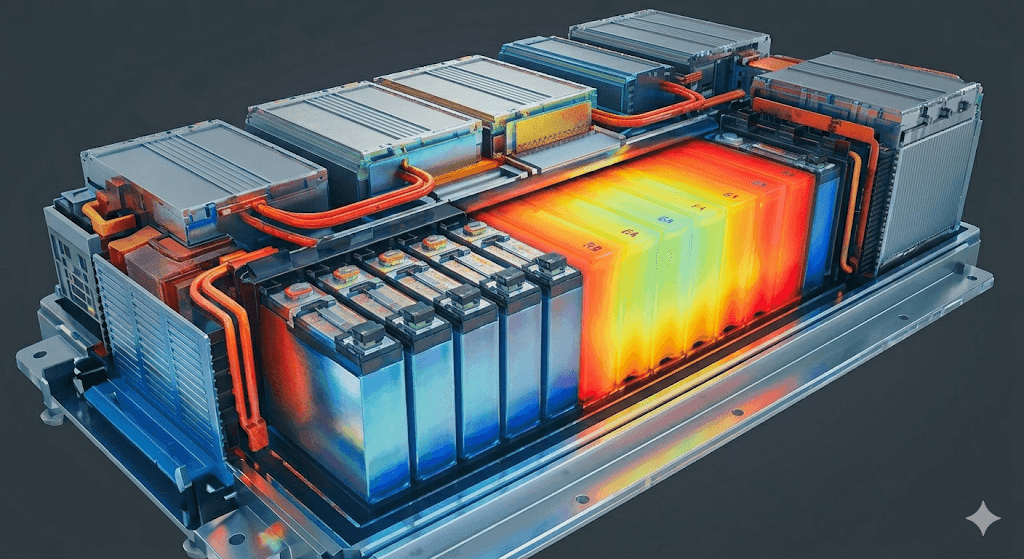
General-purpose platforms are the right choice when the battery is one part of a larger system simulation. If pack thermal management drives design decisions, or if structural integrity under crash loads matters, tools like Ansys, COMSOL, and the combined Siemens/Altair suite offer the necessary physics breadth.
Teams with existing enterprise simulation stacks and dedicated simulation specialists will also find it easier to extend a current platform than to adopt a new battery-specific tool. 3D custom modeling at the module or pack level is another scenario where multiphysics breadth matters more than battery workflow depth.
When a battery-specific workflow fits best
If cell electrochemistry is the core problem, and if the team's daily work involves fitting models to test data, running protocol-based simulations, and studying degradation, a battery-specific workflow delivers faster iteration. Configuring a general solver for each of these tasks adds up, and the overhead compounds across a team.
Battery-specific tools and production platforms like Ionworks also handle structured measurement data more naturally. When cycler data needs to flow directly into parameter estimation and model validation, a tool designed around that loop is more productive than one where data import is a side feature.
Where PyBaMM fits
PyBaMM gives teams full control over model development. The model library covers SPM through DFN, multiple degradation mechanisms, and a growing set of chemistries including sodium-ion. The community contributes regularly.
The friction shows up when the team scales. Sharing a validated simulation means sharing a notebook, a parameter file, and verbal instructions about which version to use. Onboarding an engineer who doesn't write Python means someone else runs their simulations for them. Keeping parameter sets consistent across six months of studies takes discipline that most teams don't have bandwidth for.
How Ionworks differs
General multiphysics platforms require you to configure battery workflows from generic solver components. PyBaMM gives you the electrochemistry but none of the operational structure. Siemens Battery Design Studio offers productized cell design optimization but uses proprietary models rather than the PyBaMM ecosystem.
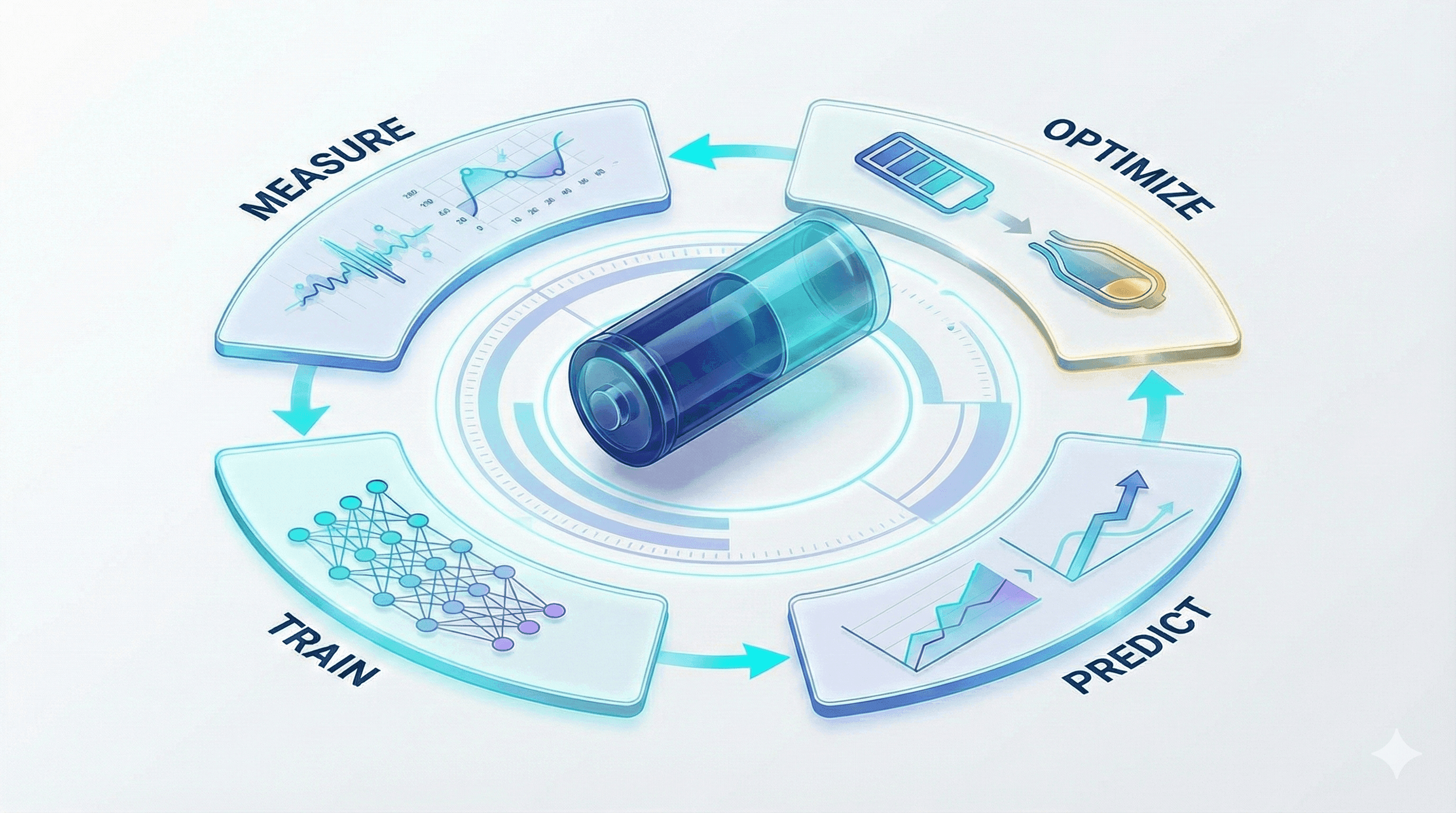
Ionworks connects the full loop: measurement data to parameterization to simulation to optimization, on top of PyBaMM's open-source electrochemical models. Cells, measurements, parameterized models, and protocols are stored objects with provenance, not files on someone's laptop. A parameter estimation study done in January can be reopened in July with every input traceable.
The parameterization pipeline is where this matters most for day-to-day R&D. Global optimization with multistart finds the best parameter fits across the full feasible region. Uncertainty quantification tells you how confident to be in each parameter. Bayesian priors let you constrain the search with values from literature or prior experiments. These run in parallel, so what used to take hours of manual iteration completes in minutes.
The GUI handles standard simulation and parameterization workflows. The API and SDK handle everything else, including custom optimization loops. For teams that need expert modeling work rather than a software platform, the same team offers battery simulation consulting: parameterization, degradation studies, and optimization delivered as a project.
Recommended battery simulation software by use case
Cell electrochemistry, parameterization, and optimization
- Ionworks for PyBaMM-based parameterization and optimization with structured data and team collaboration.
- COMSOL for custom multiscale modeling with full physics flexibility.
- PyBaMM for research-grade flexibility in Python.
- Siemens for productized cell design optimization via Battery Design Studio.
Cell-to-system simulation
- Gamma Technologies for bridging cell electrochemistry to vehicle thermal management and system simulation via GT-SUITE.
- Siemens (incl. Altair) for cell design through broad system-level digital validation.
Thermal and pack analysis
- Ansys for broad 3D thermal and multiphysics pack simulation.
- COMSOL for custom thermal-electrochemical coupling.
- Siemens (incl. Altair) for thermal analysis within a broad design and simulation ecosystem.
- Gamma Technologies for cell-to-system thermal bridging.
PyBaMM-based team workflows
- Ionworks when a GUI, team collaboration, and reproducibility are needed.
- PyBaMM when the team is fully Python-native and collaboration overhead is acceptable.
How to choose the right battery simulation software
Choose general multiphysics software if broad physics (thermal, structural, CFD) dominates your simulation needs, the battery is one subsystem among many, you need 3D custom modeling at the pack level, enterprise stack standardization is a priority, or you have dedicated simulation specialists.
Choose battery-specific software if electrochemistry drives your design decisions, cell development is your team's core activity, test data directly informs model fitting, protocols define your simulation workflows, and your team needs faster iteration cycles.
Choose PyBaMM if your team is Python-native, research flexibility is the top priority, open-source access matters, custom model development is expected, and collaboration overhead is manageable.
Choose Ionworks if you need PyBaMM's electrochemical depth with built-in parameterization and optimization, a GUI is required for part of your team, reproducibility of simulations and parameters is critical, structured measurement data must connect to models, and team collaboration needs to scale beyond individual notebooks.
For teams evaluating battery simulation software, the comparison table and decision framework above cover the tradeoffs. If your team's core work is cell-level electrochemistry and you need structured workflows for parameterization, optimization, and protocol simulation, explore how Ionworks works, start with PyBaMM training, or talk to our team about a consulting engagement.
Continue reading