Writing an Arbin schedule file takes an afternoon. Fact-checking it against the test spec takes another. Discovering that something was wrong takes months, because the program has to actually run on a cycler with real cells before anyone sees the output.
This is a category of problem that simulation was built for: you have a well-defined set of instructions, a model of the system those instructions act on, and a strong preference for finding the mistake before it costs you twelve weeks of channel time.
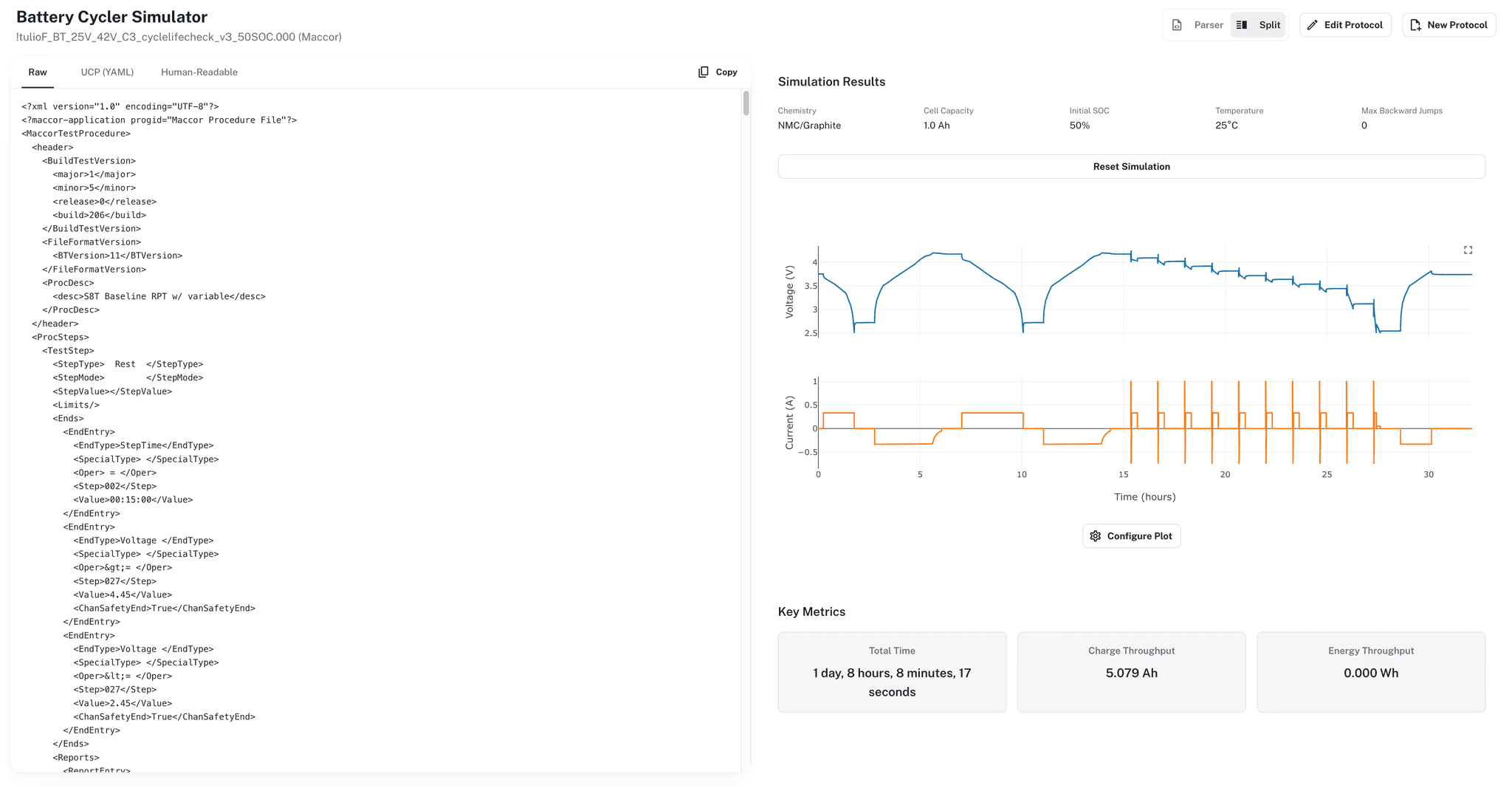
Ionworks can simulate battery test protocols. Upload a cycler schedule file, convert it to a universal format, run it against a parameterized cell model, and see the predicted voltage, current, and capacity traces in minutes. If a step terminates early, if a CCCV cutoff is set wrong, if a rest period is too short for the cell to equilibrate, you know before loading a single cell.
The protocol problem
Battery test protocols are code. An Arbin .sdu schedule file is an INI-style program with conditional logic, loop counters, user-defined variables, formula-driven limits, and nested step blocks. A Maccor XML file is similar in complexity, with a different syntax. BioLogic, Neware, Novonix: each has its own format, its own control flow conventions, and its own failure modes.
The people writing these programs are electrochemists, not software engineers. There is no compiler, no linter, no unit test. The test itself is the test. A rate ladder that accidentally charges at 4C instead of C/4 because a variable was set wrong will produce data, just not the data anyone wanted. A GITT pulse sequence with the wrong rest duration will finish, but the relaxation curves will be useless for diffusion coefficient extraction.
The cost is not the cell. It is the channel time, the engineer's time reviewing data that should not exist, and the weeks of delay before the real experiment runs.
What the protocol simulator does
The simulator in Ionworks works in three layers.
Parse. Upload a schedule file from any major cycler vendor: Arbin (.sdu/.sdx), Maccor (XML or CSV), Neware (XML), BioLogic (.mps or .bttest), or Novonix (.pro2). A dedicated parser for each format reads the native file, resolves its internal control flow, and produces a universal cycler protocol (UCP). The UCP is a vendor-neutral, Pydantic-validated representation of the same program: steps, blocks, loops, end conditions, variables, and safety limits, all in a single schema.
Inspect. The UCP version of your protocol is readable. Steps are labeled with their control mode (constant current, constant voltage, CCCV, rest, EIS), direction, end conditions, and any variable assignments. You can see the full structure of the program, including nested loops, subroutine calls, and conditional branches, without needing to read Arbin's INI syntax or Maccor's XML.
Simulate. Run the UCP against a cell model. The simulator steps through the protocol exactly as the cycler would: applying current or voltage setpoints, evaluating end conditions at each timestep, tracking loop counters and user-defined variables, and advancing to the next step when a condition fires. The cell model can be an ECM (parameterized from a single drive cycle, no teardown data required) or a full physics-based SPMe or DFN. The output is a predicted time series for every variable the model exposes: terminal voltage, current, temperature, state of charge, anode potential, capacity.
A typical protocol simulation runs in seconds to minutes, depending on the number of steps and the model fidelity. A 200-step Arbin schedule with nested loops against an ECM finishes in under a minute.
Arbin schedule files, specifically
Arbin is the most common cycler in North American battery labs, and Arbin schedule files are where we see the most complexity and the most errors. The Ionworks parser handles the full feature set:
User-defined variables (MV_UD1 through MV_UD16). These are initialized at the top of the schedule and modified by SetValue and Set Variable(s) steps throughout the program. The parser extracts them, tracks their state across the protocol, and preserves them in the UCP so the simulator can evaluate variable-dependent end conditions correctly.
Formulas. Arbin supports standard formulas (F_*), input formulas (F_INPUT_* for runtime parameterization), and advanced formulas (AF_*). The parser preserves these as expressions so the simulator can evaluate them dynamically rather than baking in a static value.
Loop counters (TC_Counter1 through TC_Counter4). Arbin's loop control uses bitmask-based operations for incrementing, decrementing, and resetting counters. The parser converts these to explicit loop structures in the UCP with VariableEnd conditions for loop exit.
CCCV steps. Combined constant-current/constant-voltage blocks with dual-phase handling. The simulator runs the CC phase, detects the CV transition, and continues through the voltage hold with the correct taper cutoff.
Compound end conditions. AND, OR, and variable-dependent termination logic. A step that ends on "voltage below 2.5 V OR time exceeds 3600 seconds" is parsed into an OrEnd condition and evaluated correctly during simulation.
The conversion also works in reverse. Write or edit a protocol in the UCP format (or build one from scratch in the protocol builder), and export it back to an Arbin .sdu file. The round-trip preserves Arbin-specific metadata (version, signature, schedule header) so the exported file loads directly into MITS Pro.
Building protocols from scratch
The protocol builder is the other half of this workflow. Instead of writing an Arbin program in MITS Pro and uploading it, you can build the protocol directly in a readable format.
Ionworks ships with templates for common electrochemical tests: constant-current discharge and charge with CCCV, GITT, PITT, pulse resistance measurement, pseudo-OCV, EIS, cyclic voltammetry, and cycle aging. Each template accepts input parameters (C-rate, voltage limits, pulse duration, number of cycles) so you can configure a standard test without editing the step sequence.
For custom protocols, the builder supports the full UCP feature set: nested step blocks, subroutines, conditional branching, goto jumps, and drive cycle profiles. Steps are written in a structured UI format where each step's control mode, setpoint, end conditions, and variable assignments are visible at a glance.
The builder can also generate protocols from plain-language descriptions. Describe "a rate ladder from C/5 to 3C with 30-minute rests between each rate, discharging to 2.5 V" and the system produces a complete step sequence. For standard protocols like HPPC, this is faster than writing the program manually.
Once the protocol is built, simulate it. Once validated, export it to the cycler format your lab uses.
Why simulating the protocol matters more than simulating the cell
Most battery simulation work focuses on the cell: parameterize a model, predict performance, optimize a design. The protocol is treated as an input, assumed to be correct.
In practice, the protocol is where errors accumulate. A characterization campaign might run six cell formats across four temperatures with three replicates each. That is 72 channels running programs that took weeks to write and review. If the program is wrong, the cost multiplies across every channel.
Simulating the protocol catches a different class of error than simulating the cell. It answers questions like: does this step sequence actually reach the voltage I need for the subsequent EIS measurement? Will the rest period allow sufficient relaxation at low temperature? Does the loop terminate after the right number of cycles, or does the counter logic have an off-by-one error? Will the safety limits trip during the high-rate step?
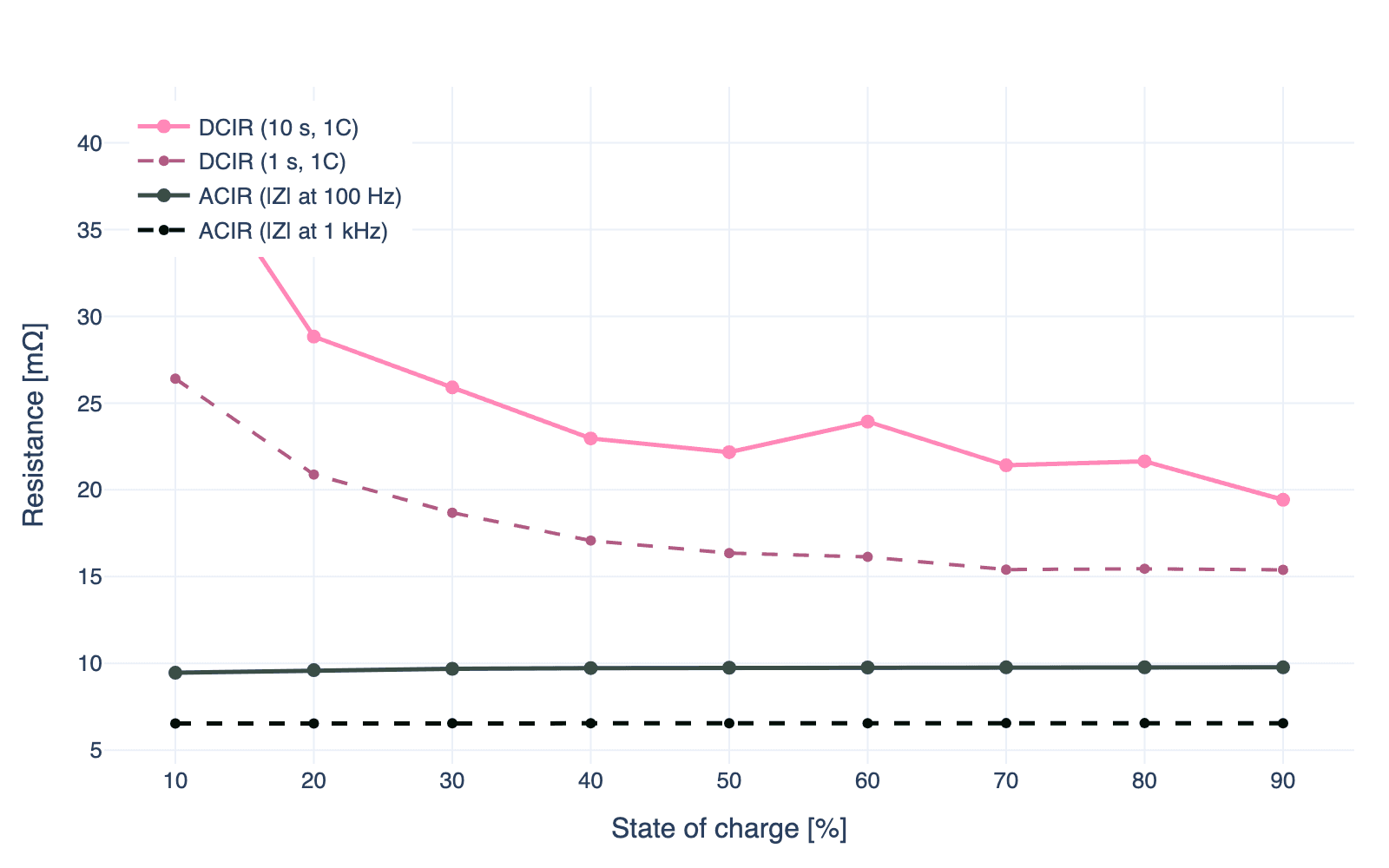
These are not modeling questions. They are program verification questions. The cell model only needs to be accurate enough to produce realistic voltage and current responses. An ECM parameterized from a single curve is often sufficient. For a deeper look at how internal resistance varies between AC and DC measurements, and why that matters for setting protocol limits correctly, see the companion post.
From six cycler formats to one
The protocol simulator sits on top of the same universal cycler protocol that our data parsers use for test data. The pattern is the same: ingest a vendor-specific format, normalize it to a common schema, and work with the normalized version.
For teams running multiple cycler brands (Arbin in one lab, Maccor in another, BioLogic on the bench), the UCP layer means protocols are portable. Write a protocol once, export it to any supported cycler format. Move a test from an Arbin channel to a Maccor channel without rewriting the program.
Six supported cycler formats today: Arbin, Maccor, Neware, BioLogic, Novonix, and PyBaMM experiments. Each has a dedicated parser for import and a dedicated converter for export.
Getting started
The protocol simulator is available in Ionworks today, either as part of a full Studio subscription or as a standalone tool.
If you have an Arbin schedule file you have been meaning to validate, upload it and run the simulation. If you are writing a new characterization protocol, build it in the protocol builder, simulate it, and export to your cycler format. If you are not sure whether the protocol or the cell is the source of a confusing test result, simulate the protocol against your parameterized model and compare the predicted traces to your measured data.
Book a demo to see the protocol simulator on your own test programs, or read more about how the data side of this workflow handles the output from those same cyclers.
Continue reading